
Points on product pages
Shoppers see how many points a product earns, and logged-out visitors get a prompt to join.


Book a demo








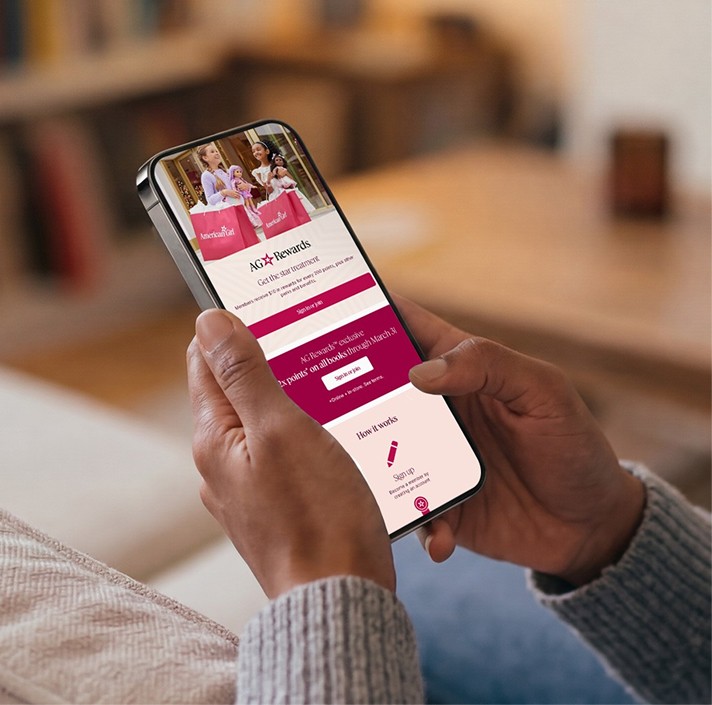



Bubblehouse installs as a Shopify app and adds loyalty to the pages shoppers already use: product pages, the header, the account page and the cart.
Book a demoShopify is a commerce platform that runs online stores, checkout and in-person selling for brands of every size.
Bubblehouse connects as a Shopify app and turns on through an app embed in your theme. From there you choose where loyalty shows up: a points preview on product pages, the member's tier and balance in the header, a rewards banner on the account page and a redemption panel in the cart.
The widgets are styled in Bubblehouse's theme editor, and you can show them only to tester accounts while you check everything before launch.
Loyalty works best when members see it while they shop, not only on a rewards page.
Shoppers see how many points a product earns, and logged-out visitors get a prompt to join.
Logged-in members see their tier and points in the site header on desktop and mobile.
The cart redemption widget lets members turn points into a discount before checkout.
Touchpoints can be limited to tester accounts until you're ready to show them to everyone.
Most of the work happens in your Shopify theme editor.
Install Bubblehouse, then go to Online Store, Themes, Customize, App Embeds and turn on the Bubblehouse embed.
Place the account banner, header display, product page points and cart redemption panel with app blocks or short snippets.
We theme the cart widget and other touchpoints in the Bubblehouse theme editor to match your store.
Check everything with tester accounts, then turn it on for all customers.
Implementation details for ecommerce and development teams.
On the rewards page, product pages, site header, account page and cart. Each touchpoint is added separately, so you pick what to show.
Bubblehouse installs as a Shopify app and adds loyalty to the pages shoppers already use: product pages, the header, the account page and the cart.
Book a demoShopify is a commerce platform that runs online stores, checkout and in-person selling for brands of every size.
Bubblehouse connects as a Shopify app and turns on through an app embed in your theme. From there you choose where loyalty shows up: a points preview on product pages, the member's tier and balance in the header, a rewards banner on the account page and a redemption panel in the cart.
The widgets are styled in Bubblehouse's theme editor, and you can show them only to tester accounts while you check everything before launch.
Loyalty works best when members see it while they shop, not only on a rewards page.
Shoppers see how many points a product earns, and logged-out visitors get a prompt to join.
Logged-in members see their tier and points in the site header on desktop and mobile.
The cart redemption widget lets members turn points into a discount before checkout.
Touchpoints can be limited to tester accounts until you're ready to show them to everyone.
Most of the work happens in your Shopify theme editor.
Install Bubblehouse, then go to Online Store, Themes, Customize, App Embeds and turn on the Bubblehouse embed.
Place the account banner, header display, product page points and cart redemption panel with app blocks or short snippets.
We theme the cart widget and other touchpoints in the Bubblehouse theme editor to match your store.
Check everything with tester accounts, then turn it on for all customers.
Implementation details for ecommerce and development teams.
On the rewards page, product pages, site header, account page and cart. Each touchpoint is added separately, so you pick what to show.
Bubblehouse installs as a Shopify app and adds loyalty to the pages shoppers already use: product pages, the header, the account page and the cart.
Book a demoShopify is a commerce platform that runs online stores, checkout and in-person selling for brands of every size.
Bubblehouse connects as a Shopify app and turns on through an app embed in your theme. From there you choose where loyalty shows up: a points preview on product pages, the member's tier and balance in the header, a rewards banner on the account page and a redemption panel in the cart.
The widgets are styled in Bubblehouse's theme editor, and you can show them only to tester accounts while you check everything before launch.
Loyalty works best when members see it while they shop, not only on a rewards page.
Shoppers see how many points a product earns, and logged-out visitors get a prompt to join.
Logged-in members see their tier and points in the site header on desktop and mobile.
The cart redemption widget lets members turn points into a discount before checkout.
Touchpoints can be limited to tester accounts until you're ready to show them to everyone.
Most of the work happens in your Shopify theme editor.
Install Bubblehouse, then go to Online Store, Themes, Customize, App Embeds and turn on the Bubblehouse embed.
Place the account banner, header display, product page points and cart redemption panel with app blocks or short snippets.
We theme the cart widget and other touchpoints in the Bubblehouse theme editor to match your store.
Check everything with tester accounts, then turn it on for all customers.
Implementation details for ecommerce and development teams.
On the rewards page, product pages, site header, account page and cart. Each touchpoint is added separately, so you pick what to show.
Connect Bubblehouse loyalty to the tools your team already uses across marketing, support, and commerce.
Schedule a call today to learn how Bubblehouse can transform your retention strategy into a scalable and impactful loyalty system.