Loyalty in the Portal
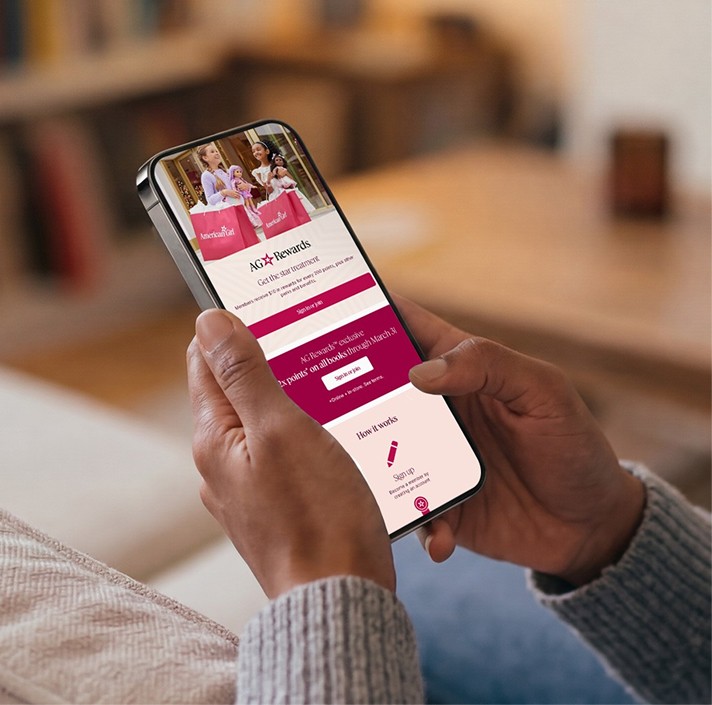
Points, tier and rewards appear where subscribers manage their orders, and they can apply points to their next order, shown as a Rewards Discount.


Book a demo












Ordergroove is a subscription and recurring revenue platform for brands. Subscribers use its management interface to change and skip their orders. With Bubblehouse, subscribers see their points and tier in the Ordergroove portal, earn milestone rewards as they renew, and see what they'd lose in the cancellation flow.
Book a demoOrdergroove is a subscription and recurring revenue platform for brands. Subscribers use its management interface to change and skip their orders.
Bubblehouse is integrated into the Ordergroove customer portal, where subscribers see their points balance, tier and available rewards and can apply points to their next order, shown as a Rewards Discount. Recurring orders earn points and count toward the same tiers as one-time purchases.
Milestone rewards recognize subscribers at the renewal counts you choose, with bonus points, discounts or a free product. When someone starts to cancel, the cancellation flow shows the points, rewards and tier status they would lose, which gives them a concrete reason to stay.
Subscribers decide whether to stay while they're managing their subscription, so their rewards should be right there.
Points, tier and rewards appear where subscribers manage their orders, and they can apply points to their next order, shown as a Rewards Discount.
Reward the third, sixth or twelfth renewal, or any count you choose, with bonus points, discounts or a free product.
The cancellation flow reminds subscribers of the points, rewards and tier status they'd give up.
The connection runs on Ordergroove's API and webhooks, so it isn't tied to one storefront platform.
Setup happens in the Ordergroove dashboard and the Bubblehouse integration settings.
In Ordergroove, create an application key named Bubblehouse with read and write permissions and bulk queries allowed.
From the Storefront tab of the keys page, copy your merchant ID and key.
Paste the credentials into the Ordergroove form in Bubblehouse and save.
In Ordergroove, create a webhook with the URL shown in the Bubblehouse settings and select the order events listed there.
Answers for retention teams running subscriptions on Ordergroove.
Yes. Subscribers see their balance, tier and rewards in the portal and can apply points to their next order, shown as a Rewards Discount.
Ordergroove is a subscription and recurring revenue platform for brands. Subscribers use its management interface to change and skip their orders. With Bubblehouse, subscribers see their points and tier in the Ordergroove portal, earn milestone rewards as they renew, and see what they'd lose in the cancellation flow.
Book a demoOrdergroove is a subscription and recurring revenue platform for brands. Subscribers use its management interface to change and skip their orders.
Bubblehouse is integrated into the Ordergroove customer portal, where subscribers see their points balance, tier and available rewards and can apply points to their next order, shown as a Rewards Discount. Recurring orders earn points and count toward the same tiers as one-time purchases.
Milestone rewards recognize subscribers at the renewal counts you choose, with bonus points, discounts or a free product. When someone starts to cancel, the cancellation flow shows the points, rewards and tier status they would lose, which gives them a concrete reason to stay.
Subscribers decide whether to stay while they're managing their subscription, so their rewards should be right there.
Points, tier and rewards appear where subscribers manage their orders, and they can apply points to their next order, shown as a Rewards Discount.
Reward the third, sixth or twelfth renewal, or any count you choose, with bonus points, discounts or a free product.
The cancellation flow reminds subscribers of the points, rewards and tier status they'd give up.
The connection runs on Ordergroove's API and webhooks, so it isn't tied to one storefront platform.
Setup happens in the Ordergroove dashboard and the Bubblehouse integration settings.
In Ordergroove, create an application key named Bubblehouse with read and write permissions and bulk queries allowed.
From the Storefront tab of the keys page, copy your merchant ID and key.
Paste the credentials into the Ordergroove form in Bubblehouse and save.
In Ordergroove, create a webhook with the URL shown in the Bubblehouse settings and select the order events listed there.
Answers for retention teams running subscriptions on Ordergroove.
Yes. Subscribers see their balance, tier and rewards in the portal and can apply points to their next order, shown as a Rewards Discount.
Ordergroove is a subscription and recurring revenue platform for brands. Subscribers use its management interface to change and skip their orders. With Bubblehouse, subscribers see their points and tier in the Ordergroove portal, earn milestone rewards as they renew, and see what they'd lose in the cancellation flow.
Book a demoOrdergroove is a subscription and recurring revenue platform for brands. Subscribers use its management interface to change and skip their orders.
Bubblehouse is integrated into the Ordergroove customer portal, where subscribers see their points balance, tier and available rewards and can apply points to their next order, shown as a Rewards Discount. Recurring orders earn points and count toward the same tiers as one-time purchases.
Milestone rewards recognize subscribers at the renewal counts you choose, with bonus points, discounts or a free product. When someone starts to cancel, the cancellation flow shows the points, rewards and tier status they would lose, which gives them a concrete reason to stay.
Subscribers decide whether to stay while they're managing their subscription, so their rewards should be right there.
Points, tier and rewards appear where subscribers manage their orders, and they can apply points to their next order, shown as a Rewards Discount.
Reward the third, sixth or twelfth renewal, or any count you choose, with bonus points, discounts or a free product.
The cancellation flow reminds subscribers of the points, rewards and tier status they'd give up.
The connection runs on Ordergroove's API and webhooks, so it isn't tied to one storefront platform.
Setup happens in the Ordergroove dashboard and the Bubblehouse integration settings.
In Ordergroove, create an application key named Bubblehouse with read and write permissions and bulk queries allowed.
From the Storefront tab of the keys page, copy your merchant ID and key.
Paste the credentials into the Ordergroove form in Bubblehouse and save.
In Ordergroove, create a webhook with the URL shown in the Bubblehouse settings and select the order events listed there.
Answers for retention teams running subscriptions on Ordergroove.
Yes. Subscribers see their balance, tier and rewards in the portal and can apply points to their next order, shown as a Rewards Discount.
Connect Bubblehouse loyalty to the tools your team already uses across marketing, support, and commerce.
Schedule a call today to learn how Bubblehouse can transform your retention strategy into a scalable and impactful loyalty system.