
Orders and customers sync
Queue consumers export orders and customers to Bubblehouse, and webhooks send updates back to the store.


Book a demo








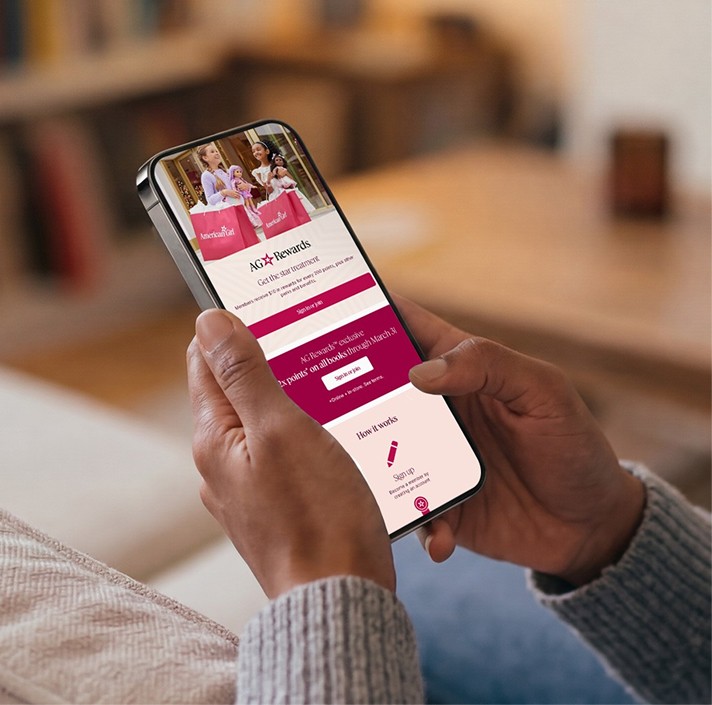





Install the Bubblehouse module with Composer, add your API credentials in the Magento admin, and your store gets a rewards page, order and customer export, and a checkout redemption widget.
Book a demoAdobe Commerce, formerly Magento, is a commerce platform known for deep customization, B2B features and multi-store setups. It comes in a hosted Adobe edition and the open source Magento Open Source.
The Bubblehouse module sends orders and customers to Bubblehouse through Magento's message queue. As soon as it's installed, your store has a rewards page at /bubblehouse/rewards/. A widget lets you place loyalty pages or blocks anywhere else, such as a referral page or a panel on the account page.
From module version 1.4.3, members can also redeem points in checkout through a widget our team styles for your store.
Magento stores are heavily customized. The module fits into the tools your developers already use.
Queue consumers export orders and customers to Bubblehouse, and webhooks send updates back to the store.
The loyalty page is live at a default URL once the module is installed.
Place the Bubblehouse widget in templates, CMS pages or CMS blocks, or use the admin Insert Widget tool.
The checkout widget lets members apply points before they pay.
Your Magento developer can follow these steps. Our team provides the credentials and styles the checkout widget.
Add bubble-house/module-integration with Composer, approve the API scopes and start the order and customer export consumers.
Create a shared secret in the Bubblehouse API console, then enter the key ID, secret and shop slug under Stores, Configuration, Bubblehouse.
Set the Bubblehouse hooks URL to your store and check that the connection test succeeds.
Sign up a test customer, place a test order and redeem points, then add the checkout widget ID and any extra loyalty blocks.
For Magento developers and ecommerce teams.
Through Composer as bubble-house/module-integration. After installing, you approve API scopes and start the Bubblehouse order and customer export consumers.
Install the Bubblehouse module with Composer, add your API credentials in the Magento admin, and your store gets a rewards page, order and customer export, and a checkout redemption widget.
Book a demoAdobe Commerce, formerly Magento, is a commerce platform known for deep customization, B2B features and multi-store setups. It comes in a hosted Adobe edition and the open source Magento Open Source.
The Bubblehouse module sends orders and customers to Bubblehouse through Magento's message queue. As soon as it's installed, your store has a rewards page at /bubblehouse/rewards/. A widget lets you place loyalty pages or blocks anywhere else, such as a referral page or a panel on the account page.
From module version 1.4.3, members can also redeem points in checkout through a widget our team styles for your store.
Magento stores are heavily customized. The module fits into the tools your developers already use.
Queue consumers export orders and customers to Bubblehouse, and webhooks send updates back to the store.
The loyalty page is live at a default URL once the module is installed.
Place the Bubblehouse widget in templates, CMS pages or CMS blocks, or use the admin Insert Widget tool.
The checkout widget lets members apply points before they pay.
Your Magento developer can follow these steps. Our team provides the credentials and styles the checkout widget.
Add bubble-house/module-integration with Composer, approve the API scopes and start the order and customer export consumers.
Create a shared secret in the Bubblehouse API console, then enter the key ID, secret and shop slug under Stores, Configuration, Bubblehouse.
Set the Bubblehouse hooks URL to your store and check that the connection test succeeds.
Sign up a test customer, place a test order and redeem points, then add the checkout widget ID and any extra loyalty blocks.
For Magento developers and ecommerce teams.
Through Composer as bubble-house/module-integration. After installing, you approve API scopes and start the Bubblehouse order and customer export consumers.
Install the Bubblehouse module with Composer, add your API credentials in the Magento admin, and your store gets a rewards page, order and customer export, and a checkout redemption widget.
Book a demoAdobe Commerce, formerly Magento, is a commerce platform known for deep customization, B2B features and multi-store setups. It comes in a hosted Adobe edition and the open source Magento Open Source.
The Bubblehouse module sends orders and customers to Bubblehouse through Magento's message queue. As soon as it's installed, your store has a rewards page at /bubblehouse/rewards/. A widget lets you place loyalty pages or blocks anywhere else, such as a referral page or a panel on the account page.
From module version 1.4.3, members can also redeem points in checkout through a widget our team styles for your store.
Magento stores are heavily customized. The module fits into the tools your developers already use.
Queue consumers export orders and customers to Bubblehouse, and webhooks send updates back to the store.
The loyalty page is live at a default URL once the module is installed.
Place the Bubblehouse widget in templates, CMS pages or CMS blocks, or use the admin Insert Widget tool.
The checkout widget lets members apply points before they pay.
Your Magento developer can follow these steps. Our team provides the credentials and styles the checkout widget.
Add bubble-house/module-integration with Composer, approve the API scopes and start the order and customer export consumers.
Create a shared secret in the Bubblehouse API console, then enter the key ID, secret and shop slug under Stores, Configuration, Bubblehouse.
Set the Bubblehouse hooks URL to your store and check that the connection test succeeds.
Sign up a test customer, place a test order and redeem points, then add the checkout widget ID and any extra loyalty blocks.
For Magento developers and ecommerce teams.
Through Composer as bubble-house/module-integration. After installing, you approve API scopes and start the Bubblehouse order and customer export consumers.
Connect Bubblehouse loyalty to the tools your team already uses across marketing, support, and commerce.
Schedule a call today to learn how Bubblehouse can transform your retention strategy into a scalable and impactful loyalty system.